


IHOP®
4.614.64K Reviews
App Specs
- Version
- 4.8.43
- Updated On
- License
- Free
- Downloads
- 1,000,000+
- Developer
- Dine Brands Global, Inc.
- Categories
- Food & Drink
- Platform
- Android, iOS
Screenshots
 Analysis by AppCompare
I find restaurant apps most useful when they prevent small hassles: checking a menu before leaving, choosing a nearby branch, or getting an order organised while the rest of the family is still deciding. The IHOP® app is built around those practical moments, with the chain’s menu and restaurant information gathered in one place. It is a free food-and-drink app from Dine Brands Global, Inc., and I’d think of it as a companion for people who already choose IHOP, rather than a general restaurant-discovery tool.
That distinction matters. If I’m deciding between several restaurants, a broader delivery or maps app is usually better for comparing options. If I already want pancakes, an omelet, or another IHOP meal, going straight to the restaurant’s own app can make it easier to plan around that choice. The app has an average rating of 4.6 from around 46,000 ratings, but the real question for me is whether its steps fit the way you want to eat: browsing, visiting a restaurant, or arranging food for later.
Where the first steps can feel uncertain
The app is aimed at a broad audience, and its content rating is Everyone. Still, an easy-looking interface does not mean every first-time user will immediately know which path to take. Before creating an account or building an order, I’d decide whether I’m mainly checking the menu, looking for a restaurant, or trying to order. That simple choice keeps the session focused and makes it easier to notice if a feature you expected is not available for the particular location or order you have in mind.
It has been available since December 20, 2017, and version 4.8.40 is the current version. The app supports Android 8.0 and later, which is useful to check before troubleshooting a device that cannot install or update it. It has over a million installs, but popularity alone cannot tell you whether it will suit your phone, your preferred restaurant, or the way you like to place an order.
Simple checks before placing an order
When something seems off, I would first confirm that I have selected the right restaurant and that the details I’m looking at belong to that branch. Restaurant apps can connect a menu or ordering process to a specific location, so a mismatch between the branch you intend to visit and the one selected can make the next steps confusing. I’d also check that the app is up to date and that the phone has a working internet connection before assuming the account or order itself is the problem.
For an order with several people’s preferences, I’d settle the choices before tapping through the menu. That helps avoid a last-minute scramble over sides or custom requests, and makes it easier to review the basket carefully. If you’re ordering for a particular time, check the selected details again before finishing; a schedule only helps if it reflects the plan you actually have. I’d treat the final review as a useful pause, not busywork.
Recovering without starting over
If a screen stalls or an order does not appear to progress, I would avoid immediately repeating the whole process. First, check whether the app shows the order as pending or gives another clear status, then verify the restaurant and the details already entered. Re-entering an order before understanding what happened can create confusion, especially if you are coordinating food for a group. If the app does not give enough clarity, contacting the restaurant through its usual channels is a more sensible next step than guessing.
Worth Reading Before You Choose

Baby Panda World Brings Quick Play to Modern Phones, but Its Game Library Feels Busy

ESPN’s Live Game View Makes Following Close Games Easier

QuizzLand Review: A Good Fit for Short Trivia Breaks, Not Every Player

Basketball Stars: Multiplayer Is Fast, but Can It Recover When Matches Go Wrong?

WEBTOON Turns Phone Updates Into a Better Reading Routine

Link to Windows Runs on Shared Habits, Not Social Feeds
The same cautious approach works for account-related trouble. Check that you are using the sign-in method you chose, and look for any in-app message before trying to create another account. If a reward balance or offer looks different than expected, review the account and order details rather than assuming that a tap failed. I’d keep a separate note of an important planned order until its status is clear, particularly when timing matters.
When the problem may be outside the app
A restaurant app cannot remove every uncertainty from a meal. A branch may be busy, your plans may change, or a delivery handoff may take longer than you hoped. If an item, timing detail, or promotion does not match what you expected, it can help to distinguish between an app-screen issue and a restaurant-specific question. The branch is the better source for a current, local answer; the app is most useful for organising the information and choices it presents.
I would also avoid treating a menu photo or description as a promise that every detail will be identical at every restaurant. Use the app to narrow down what you want, then check with the location if an ingredient, substitution, or other detail is important to your decision. That is especially sensible when ordering for someone with a dietary concern. A digital menu is convenient, but a direct question is the safer route when a small detail could change whether a dish is suitable.
Using the app for a smoother IHOP visit
I’d use the app as a planning aid before the meal, rather than waiting until I’m already in a hurry. Picking what I want and checking the branch first gives me a chance to catch a mismatch early; from there, the next section looks at how to keep menu choices and order details manageable.
Exploring the Menu
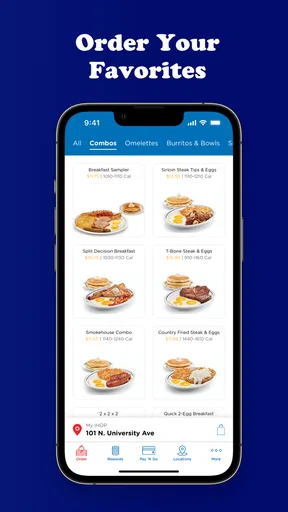
Alright, let's talk about what really matters—the food! The menu section is super easy to use. You can browse through different categories like breakfast, lunch, dinner, and even some delicious desserts. Each item has a mouth-watering photo and a detailed description, so you know exactly what you're getting. Plus, there are nutritional facts available for the health-conscious among us.
If you're like me and enjoy customizing your order, the app lets you do just that. Want extra syrup or maybe a side of bacon? Just tap and add it to your order. It's like having a personal waiter in your pocket.
The Order Experience
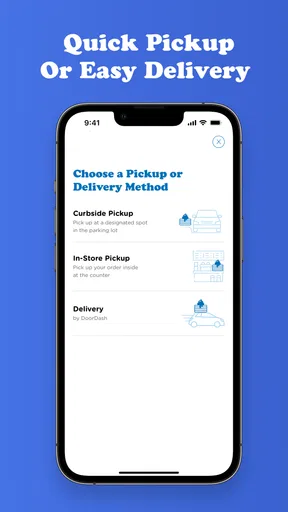
Ordering through the app is a seamless experience. You can choose to pick up your order or have it delivered straight to your door. The app even lets you schedule your order ahead of time, which is perfect if you're planning a big breakfast for the family or just want to avoid the morning rush.
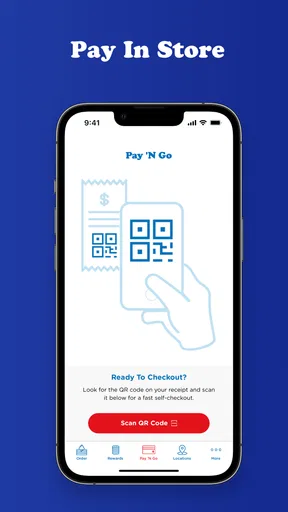
Payment options are flexible too. You can pay through the app using a credit card, PayPal, or even apply those hard-earned rewards points for a discount. Everything is done securely, so you don't have to worry about any funny business with your payment details.
Choosing the right routine for your meal
For a weekday morning, I’d use the app to decide what I want before heading out, then check the restaurant details so I’m not making a rushed choice in the car park. For a family meal, it can help to collect everyone’s preferences first and make one considered order rather than trying to remember who wanted which side. If timing is the main concern, planning ahead is more useful than opening the app only when everyone is already hungry.
There is a trade-off with customisation: more choices can make an order better suited to your taste, but they also give you more details to verify. I’d read each selection back before submitting, especially when changing an item or adding an extra. For a straightforward meal, fewer taps and a quick final check are often better than exploring every possible variation.
IHOP® Rewards
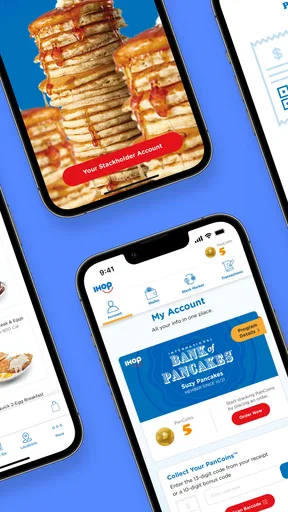
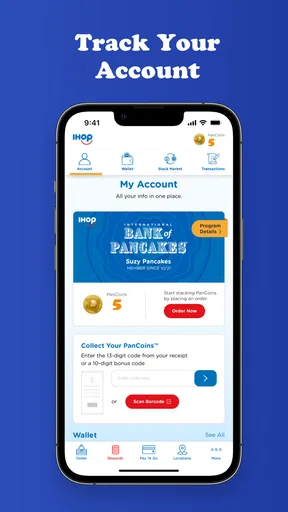
Speaking of rewards, let's dive into the loyalty program. The IHOP® app has a pretty sweet rewards system. Each time you order, you rack up points that you can redeem for free meals or discounts. It's a great way to save some bucks if you're a regular IHOP visitor. Plus, they throw in special offers and discounts from time to time, just to keep things interesting.
Tracking your rewards is simple, too. The app shows you how many points you've accumulated and what you can get with them. It's almost like a game—order more, earn more, eat more. What's not to love?
Getting value from rewards without over-ordering
I’d treat rewards as a small bonus on meals I already planned to have, not a reason to add food I don’t need. Before placing an order, it’s worth checking what the account shows and whether the reward or offer fits the meal you are about to buy. That makes the benefit easier to understand and avoids counting on a discount before confirming it applies to the order.
If you share ordering duties with someone else, decide whose account will be used before you start. Keeping the order and rewards activity in one account can make it less confusing to follow what was earned or used. The app is most rewarding for people who return to IHOP often enough to care about tracking points; occasional visitors may get more value from simply browsing the menu and choosing a convenient restaurant.
Finding Your Nearest IHOP
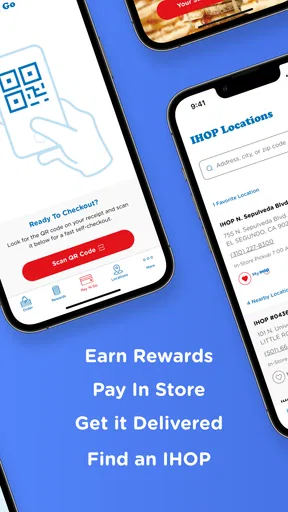
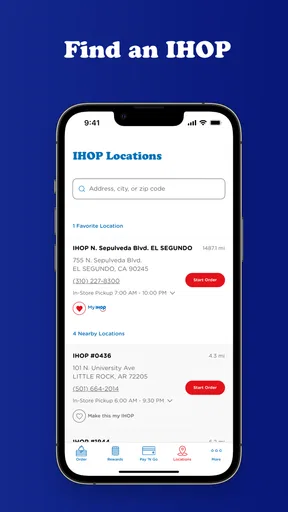
Another handy feature of the app is the location finder. If you're traveling or just happen to be in a new part of town, the app helps you locate the nearest IHOP. It even provides directions, so you won't have to wander around aimlessly.
The location finder is also helpful for checking the restaurant's hours and any special promotions they might have. It's always good to know if there's a deal on pancakes or if the store is offering something special for the day.
When another app is the better tool
Compared with a general map app, the restaurant’s own location finder is a natural starting point when IHOP is already your destination. A map service may be more convenient if you are comparing several kinds of restaurants, planning a route with multiple stops, or relying on familiar navigation tools. Likewise, a broad delivery service can be preferable when you want to compare restaurants in one checkout flow. I’d use the IHOP app for IHOP-specific browsing and planning, and switch tools when the decision is about the wider area rather than this chain.
That also helps answer whether everyone should install it. It makes the most sense for regular guests, people who like to check the menu before arriving, and anyone who expects to use the restaurant’s ordering or rewards options. If you rarely visit, prefer deciding in person, or want one app to compare many restaurants, the extra account and app steps may not earn their place on your phone.
Final Thoughts
In a nutshell, the IHOP® app is a must-have for anyone who loves a good breakfast, lunch, or dinner from the comfort of their home—or for those who just want to skip the line and enjoy their meal. It's user-friendly, packed with features, and definitely makes dining a more convenient and enjoyable experience.
So, next time your stomach starts growling for some pancakes or a fluffy omelet, give the IHOP® app a go. It's like having a little piece of breakfast heaven right in your pocket.
My practical verdict
I see this as a useful, focused companion rather than a complete solution to every restaurant question. It can help me plan a meal, explore IHOP’s menu, and organise an order or visit, but I would still double-check location-specific details and ask the restaurant when an important detail is unclear. That balance is what makes it practical: use the app for convenience, not as a substitute for a direct answer when timing, ingredients, or an order issue really matters.
If IHOP is already part of your routine, I’d give it a try and keep the workflow simple: choose the branch, make the meal decision, review the order, then confirm the details that matter. If you want broad restaurant comparisons or rarely eat there, your usual map or delivery app is likely the better fit. For the right person, this is an easy way to make an IHOP visit feel more organised without expecting the app to do more than it can.
Pros
- User-friendly interface for easy navigation.
- Extensive menu with diverse breakfast options.
- Convenient online ordering and delivery feature.
- Frequent promotions and discounts available.
- Customizable orders to suit dietary preferences.
Cons
- Limited payment options can be inconvenient.
- Occasional app crashes reported by users.
- Some features require stable internet connection.
- Delivery availability varies by location.
- Push notifications can be overly frequent.
FAQs for IHOP®
What features does the IHOP® app offer?
The IHOP® app provides a variety of features to enhance your dining experience. These include a user-friendly interface for ordering takeout, browsing the menu, and customizing your orders. Additionally, the app offers exclusive deals, rewards through the IHOP® Rewards program, and location services to find the nearest IHOP® restaurant.
Is the IHOP® app free to download and use?
Yes, the IHOP® app is completely free to download and use on both Android and iOS devices. There are no hidden fees associated with using the app. However, charges only apply when you place an order for food through the app, just like any regular restaurant purchase.
How do I earn rewards using the IHOP® app?
By signing up for the IHOP® Rewards program within the app, you can earn points for every purchase you make. These points can be redeemed for free menu items or discounts on future orders. The app also occasionally offers bonus points, so keep an eye out for special promotions.
Can I customize my order through the IHOP® app?
Absolutely! The IHOP® app allows you to fully customize your orders according to your preferences. You can modify ingredients, choose specific sides, and even make special requests or dietary accommodations, ensuring your meal is just how you like it.
What should I do if I encounter issues with the IHOP® app?
If you experience any problems with the IHOP® app, there are several steps you can take. First, ensure that your app is updated to the latest version. If issues persist, try restarting your device. For further assistance, you can reach out to IHOP® customer support through the app or their official website.


